Add the magazine. Keep your setup.
Install Vibeify, open Chat and say “Make a Vibe about…” whenever you want the polished, visual version.
Add Vibeify ↗Your AI, with taste
Ask for anything. Vibeify turns the finished work into a visual edition you can scroll, shape, save and share—without turning your life into one long chatbot.
Vibeify 0.16.7 · tested with DSH 0.2.0-rc.2 and Codex 0.160.0
The no-homework version
Install Vibeify, open Chat and say “Make a Vibe about…” whenever you want the polished, visual version.
Add Vibeify ↗The friendly installer adds DSH and Vibeify together. Choose DeepSeek, ChatGPT or both when you feel like it.
Take me to the downloadOkay, but what is it?
DSH connects AI to the tools and permissions it needs. Vibeify turns the finished work into one beautiful, scrollable place. Think less “control panel”, more “new issue just dropped”.
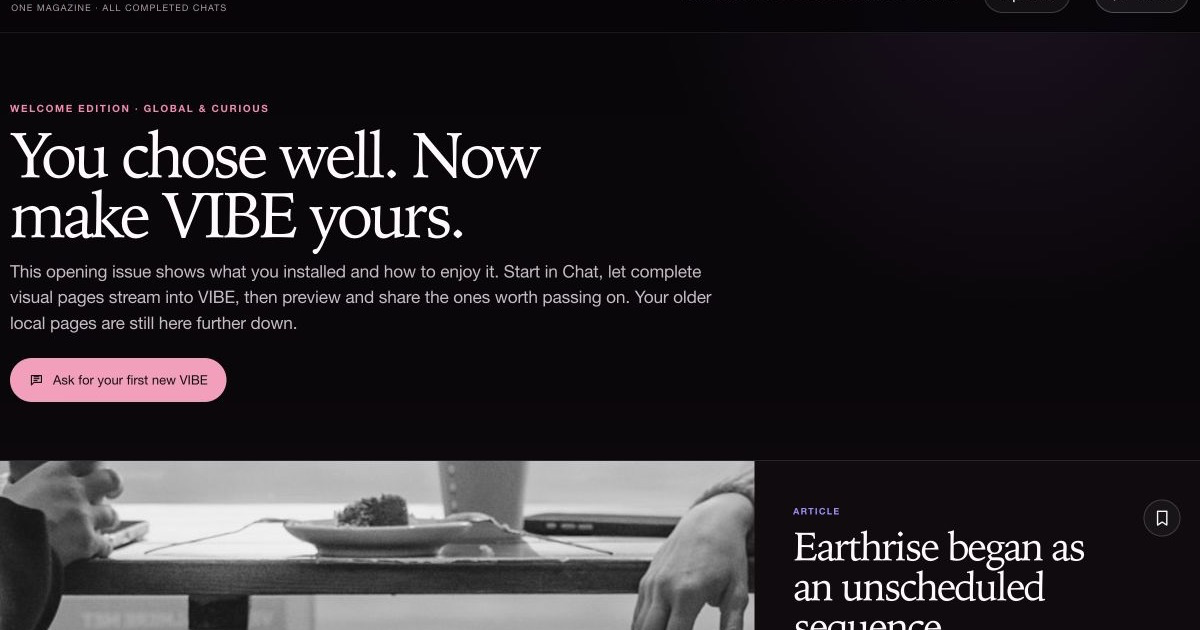
Your welcome edition is already there. No prompt. No “how can I help?” staring contest.
Travel ideas, a culture deep-dive, career clarity, a reading list—say “Make a Vibe about…” and give it your angle.
Your reactions shape later issues. Sharing starts with a private preview and publishes only the one article you choose.
The real product, start to share
Open Vibe with useful content, ask in Chat, watch a sourced visual card arrive, choose Update when you want more, then preview one article before deciding whether it deserves a public link.
Taste, not an algorithmic spiral
Choose the worlds you care about. Vibe keeps an eye on what is happening, learns from what you save or skip, and still lets something unexpected through. Your personal edit stays in your browser.
Vibe watches public culture, ideas and conversation—not your private tabs. The shared source list is open for anyone to inspect.
See the public radar ↗Creators, nerds, culture lovers, gamers, founders, families, music heads and more. Choose several; nobody has only one personality.
When you opt in, a small private reserve can prepare varied reads within your daily limit. Nothing unfinished lands in the magazine.
Ready pages appear immediately. Video and music wait for your tap, and the visible edition never changes behind your back.
Built for curiosity
Vibe is the front door: visual, newest-first and easy to dip into. Chat stays close for the moments when you want to direct the work instead of reading it.

Your first edition is already waiting. Read something, save it, or ask for exactly what you want. Change your Vibes and settings whenever your interests move.

Games, calculators and interactive graphs can live inside the article. Mochi Meadow stays playable in sharing previews and published pages, too. Choose a website look and its writing voice, or keep the default VIBE gossip magazine style. Existing pieces can be rewritten for review. Colours, text size and spacing save immediately. Your magazine stays local; you choose what to publish and where to post the link.

Use Chat when you want to direct, correct or dig deeper. Vibe keeps the finished pieces calm, visual and easy to come back to.
Mood switcher
The playlist, the anime crush, the outfit: a little sparkle turns an ordinary Tuesday into your own opening sequence.
Playful pop, anime fandom and expressive feminine style. Your editorial direction shapes the topics.Bring the AI you already know
You don’t need both accounts. Install first, choose one later, or let them split suitable work. Vibe keeps the experience together.
Luna Max keeps the plan and quality check. DeepSeek handles suitable delegated work, with Terra, Sol or Astra brought in for specialist tasks when needed.
Each provider keeps its own charges and limits.Keep your magazine current
Choose your computer, copy one command, and follow the prompts. The updater checks the download, installs the compatible bundle and keeps your chats and settings.
Vibeify 0.16.7 · DSH 0.2.0-rc.2 · Visuals 0.1.1 · Social Desk 0.2.1 · bundled Codex 0.160.0
(
  set -e
  VIBE_UPDATE_DIR="$(mktemp -d)"
  curl --fail --location --retry 2 'https://dsh-vibeify.ezzye.chatgpt.site/DSH-Vibeify-Installer-macOS.zip' --output "$VIBE_UPDATE_DIR/installer.zip"
  printf '%s  %s\n' '1dadb20ad3c7a3dd8a360c41d9ced6393860a327fb643344e04d220da0f44283' "$VIBE_UPDATE_DIR/installer.zip" | shasum -a 256 --check
  unzip -q "$VIBE_UPDATE_DIR/installer.zip" -d "$VIBE_UPDATE_DIR"
  bash "$VIBE_UPDATE_DIR/Install DSH Vibeify.command"
)
This Terminal route runs the checked source with Bash. The downloadable command file is unsigned and is not Apple-notarized, so double-clicking it can trigger a macOS warning. Help with a blocked installer ↗
Read the installer source ↗ · Download checksums
When it finishes, reopen DSH and select Settings → Updates → Check again. Checks show the installed versions and never install anything by themselves.
The practical bit
The download installs or updates DSH, Vibeify and the free DSH Visuals plugin, checks the package and never asks for your AI or image-service key. Mac installation has been checked; Windows automatic reopening is still being verified. The downloads are unsigned; Linux remains a preview.
Choose a desktop edition below. Phones and tablets cannot run DSH locally.
No forced sign-up duo
Useful for low-cost discovery and everyday work. Connect it privately inside DSH; the installer never sees your key.
Open DeepSeek ↗Sign in through the official Codex browser flow. Vibeify uses your ChatGPT route rather than asking for an OpenAI API key.
Open ChatGPT ↗Cute is not a security policy
Anyone can read the installer and plugin code before deciding whether to trust it.
Inspect the installer ↗Vibeify checks a new package before asking to restart, and it will not cut off active work without permission.
How safe updates work ↗Email, publishing, purchases and sending images elsewhere still need your say-so. “Full access” is not a blank cheque.
Read the privacy notes ↗DSH moves fast. Vibeify checks the current official release and says clearly when a platform has not had a full real-device test.
See upstream DSH ↗Questions people ask first
No. Use DeepSeek only, ChatGPT only, or both. You can even install before creating either account, but AI tasks need at least one connected provider.
The free DSH Visuals plugin can search Wikimedia Commons and Openverse without a key. If you choose, add your own Pexels or Pixabay key under Settings → Images. Vibe sends only the short displayed article title, keeps creator and licence details, and falls back to a unique local cover when no suitable reusable picture is available.
The Codex route uses ChatGPT sign-in rather than an OpenAI API key. DeepSeek API use is separate and billed by DeepSeek.
No. It runs only while the page is open, after Vibe was used within 24 hours, while the reserve is low, and within your daily maximum—never above US $2. Pause it any time in VIBE settings.
The first content and photography are bundled locally. Prepared pages are released immediately; video and music load only when clicked, so the magazine stays responsive.
Run the newest installer again. It installs the DSH version tested with this Vibeify release and replaces Vibeify with a validated immutable snapshot. It will not interrupt an active task without asking.
Use the plain-English FAQ and its privacy-safe support prompt. You may ask free DeepSeek Chat, ChatGPT or Gemini for help—never paste passwords, API keys, cookies, tokens, private prompts or full logs.
Email info@codingforjustice.org.uk. Do not send passwords, API keys, cookies, tokens, private prompts, session exports or unreviewed logs.
An independent community project
Agent architecture, integration and product direction
Experience design, look and feel, and visual Vibes
Your next rabbit hole, edited